
Every institution invests in making its website accessible. Yet students rarely spend their day on the homepage. They spend it inside the materials that carry instruction — syllabi, lecture notes, exams, worksheets, research papers, and course packs in the LMS. Those documents are part of the same digital infrastructure as the site itself. If they aren't accessible, neither is the learning experience.
Documents sit inside the accessibility stack not beside it
Web conformance matters. So do the files that actually deliver instruction.
An accessible website and an accessible document pipeline are both load-bearing. A compliant homepage still can't carry a 40-page exam packet with no semantic structure. Accessibility programs succeed when sites and documents are treated as one infrastructure, not as separate tracks where documents are "attachments after the website is done."
An accessible website doesn't automatically create accessible PDFs — and students need both.
Accessibility begins with structure, not appearance
Most document accessibility problems aren't visual. They're structural.
When a document is missing semantic headings, logical reading order, table headers, or meaningful text, assistive technologies lose the information needed to interpret it correctly. That's why screen readers jump between columns, tables are announced as plain text, OCR produces confusing output, and remediation becomes expensive manual work.
Structure isn't the finishing touch. It's the foundation every accessible format depends on and it's far harder to rebuild after publication than to author correctly from the start.
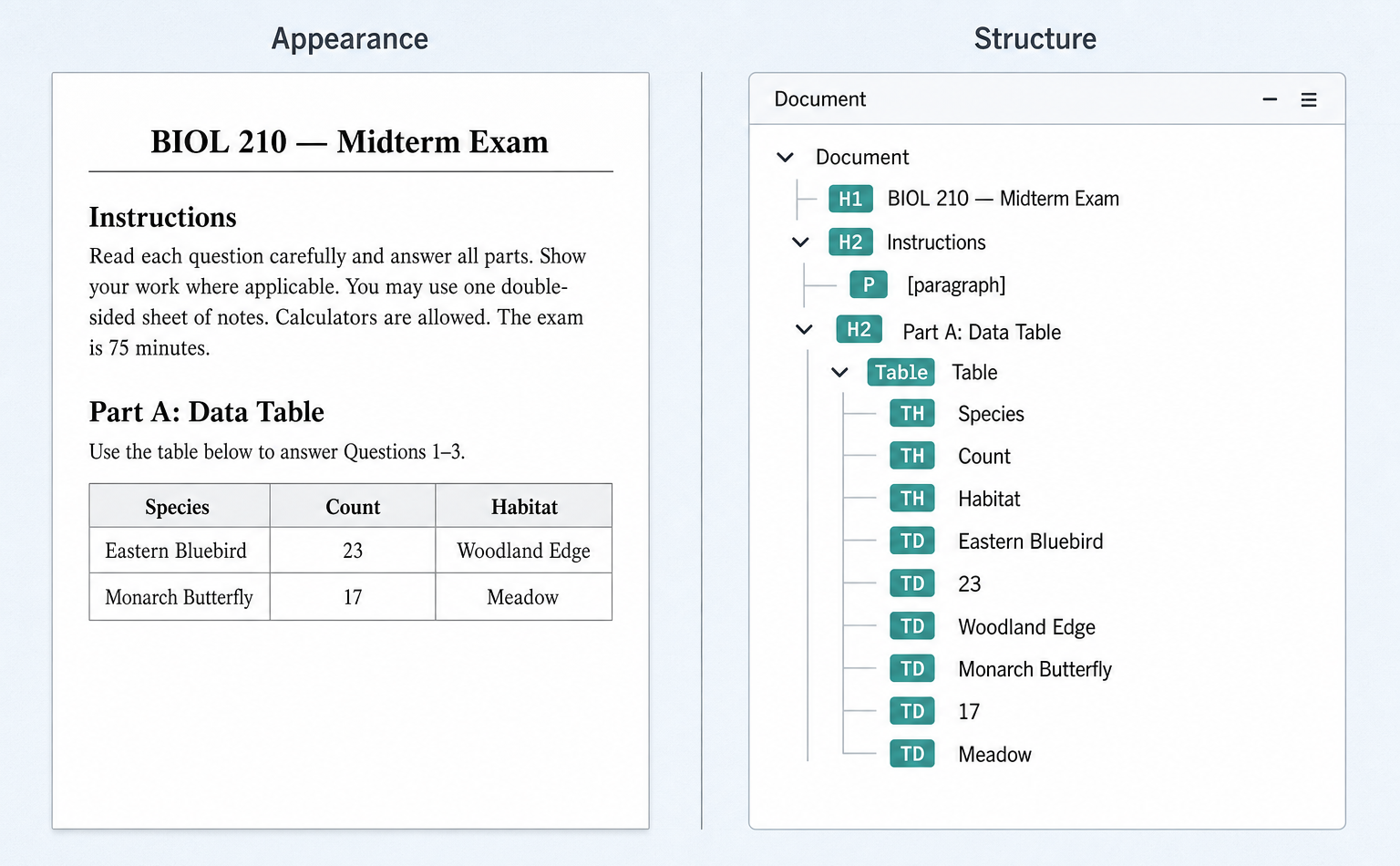
Documents should be transformation-ready from the start
Institutions need many outputs from the same source:
- Accessible HTML
- Braille-ready output
- Tagged PDF / PDF/UA
- EPUB and other alternate formats
When structure is missing in the source, each of those outputs inherits the same debt. Late remediation turns every format into a rescue project.
The stronger path is transformation-ready documents: once the source contains reliable semantic structure, producing HTML, PDF/UA, Braille, EPUB, and related formats becomes predictable instead of heroic.
This is the principle behind Morf: improve the document's underlying structure so every downstream format starts from a stronger foundation. Morf's work spanning 16 years of NIH and NSF-funded accessibility research consistently shows that source structure determines downstream format quality. Build structure early; conversions become reliable instead of last-minute remakes.
Where document accessibility pipelines usually fail
| Problem | Root cause |
|---|---|
| Screen reader reads columns out of order | Missing reading order |
| Tables announced as plain text | Missing table headers |
| Math fails in Braille output | Image-based equations |
| Accessible version arrives after the deadline | Accessibility begins after publication |
These aren't primarily conversion problems. They are source document problems and they compound because structure is difficult to retrofit once materials are already in circulation.
Start by inspecting one real document
Choose one document your team distributes every semester and inspect the structure students actually encounter, not another checklist.
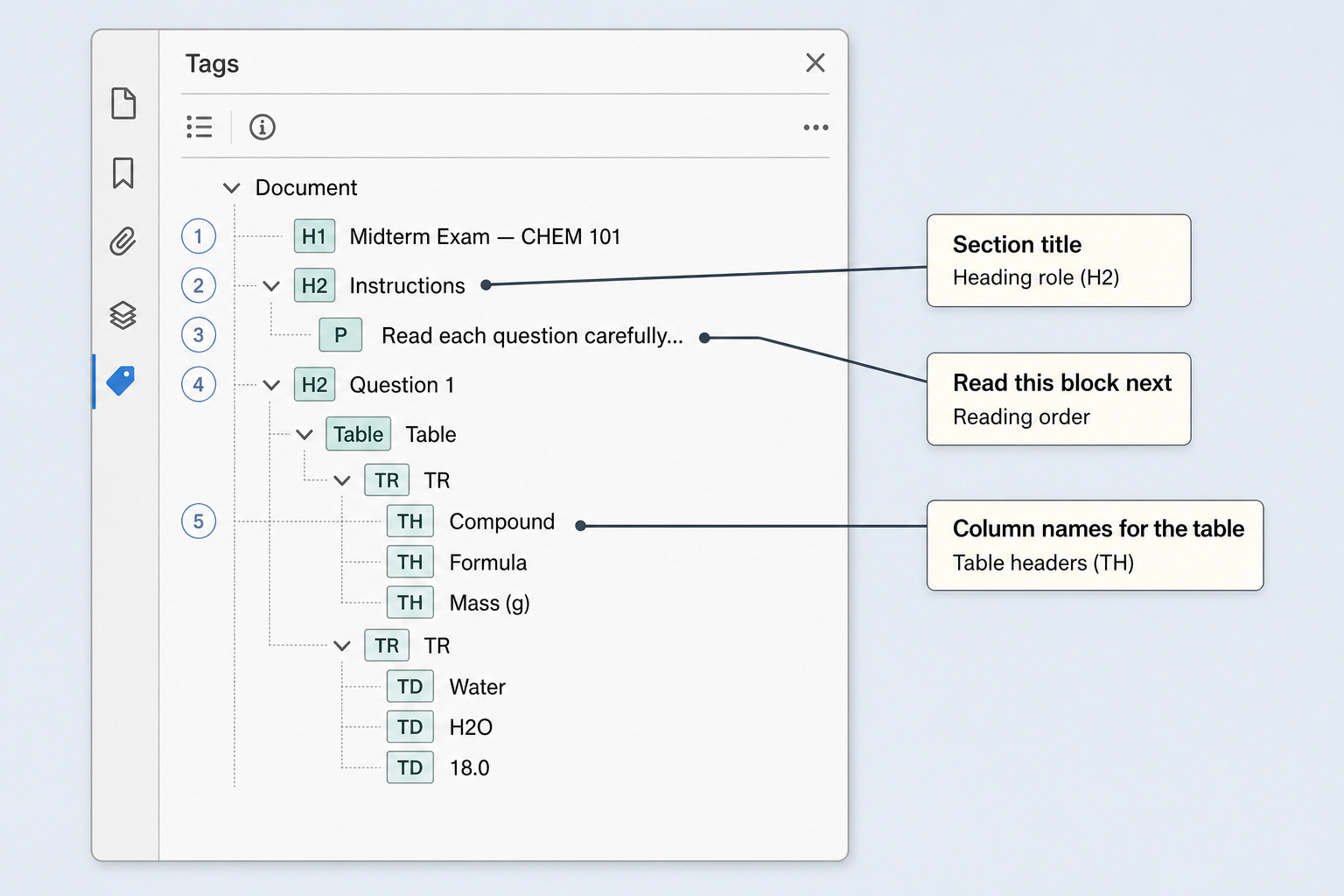
In your PDF tool of choice (if it has accessibility support), that structure often appears as a tags panel (sometimes called a tag tree): an outline of roles and order that screen readers follow. You don't need to be a PDF engineer to learn from it. Check whether:
- Headings are real headings (not just bold text)
- Reading order matches how the page should be narrated
- Tables have headers that identify columns and rows
- A screen reader can move through the document with the same logic a sighted reader gets from the layout
You'll learn more from one real document than another compliance checklist because accessible documents aren't attachments. They're the infrastructure students rely on every day.
What changes in your pipeline tomorrow
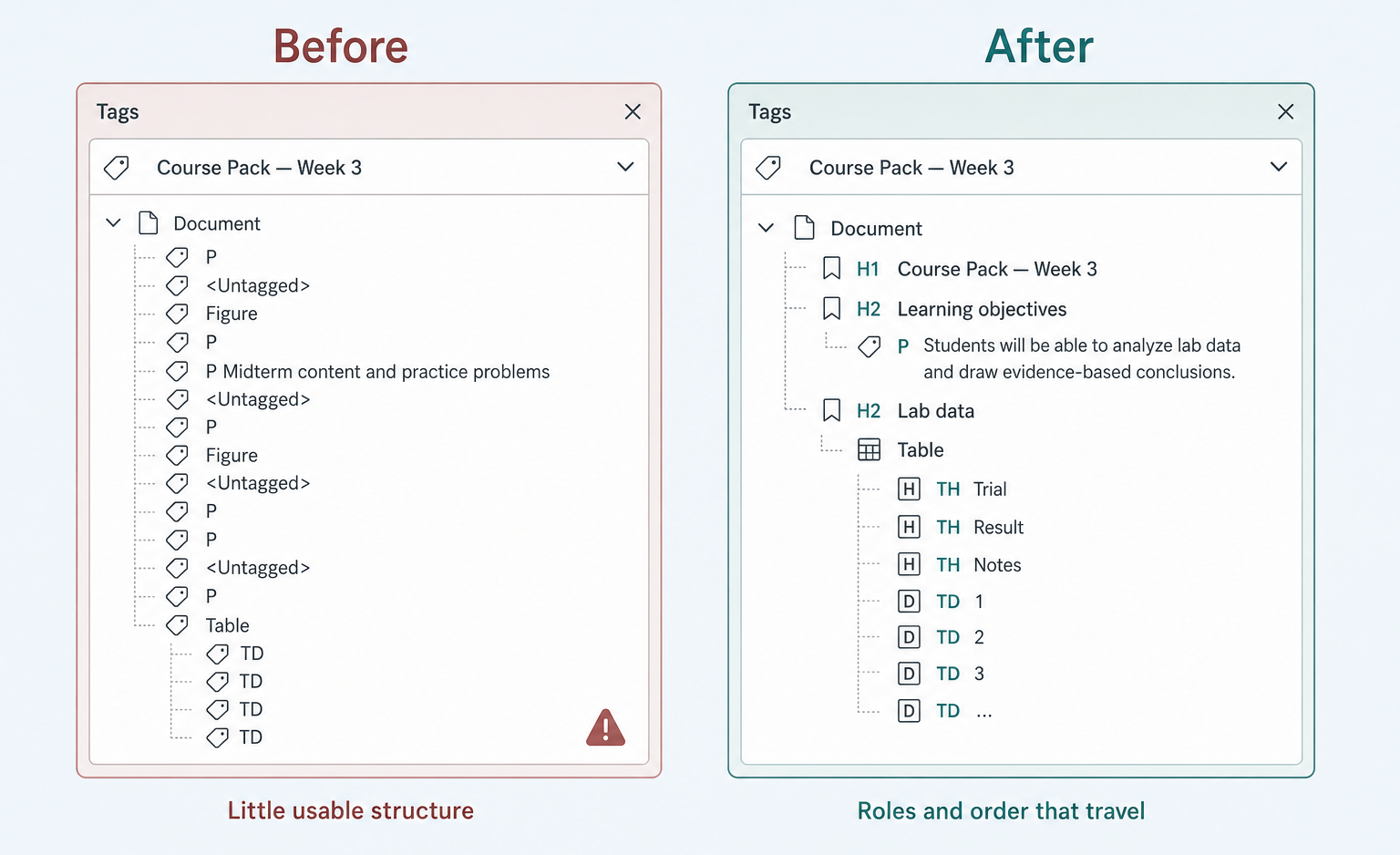
Tomorrow: Pick one course pack or policy PDF your team remediates repeatedly. Open its structure panel before any format conversion. If headings, reading order, or table headers are missing, fix that foundation first then convert. Starting with structure reduces rework in BRF, HTML, and tagged PDF for every student who needs those formats after that.
Next step: Upload that document to Morf Transformation and compare structure before and after processing.