
Your institution probably has an accessibility policy, a web review vendor, and a disability services team clearing a backlog — yet no single person can answer: how many content assets are non-conformant right now, who owns remediation, and what is verified?
That blind spot is a failure of accessibility program management. Effective digital accessibility management starts with visibility: one operational view of status across every content type.
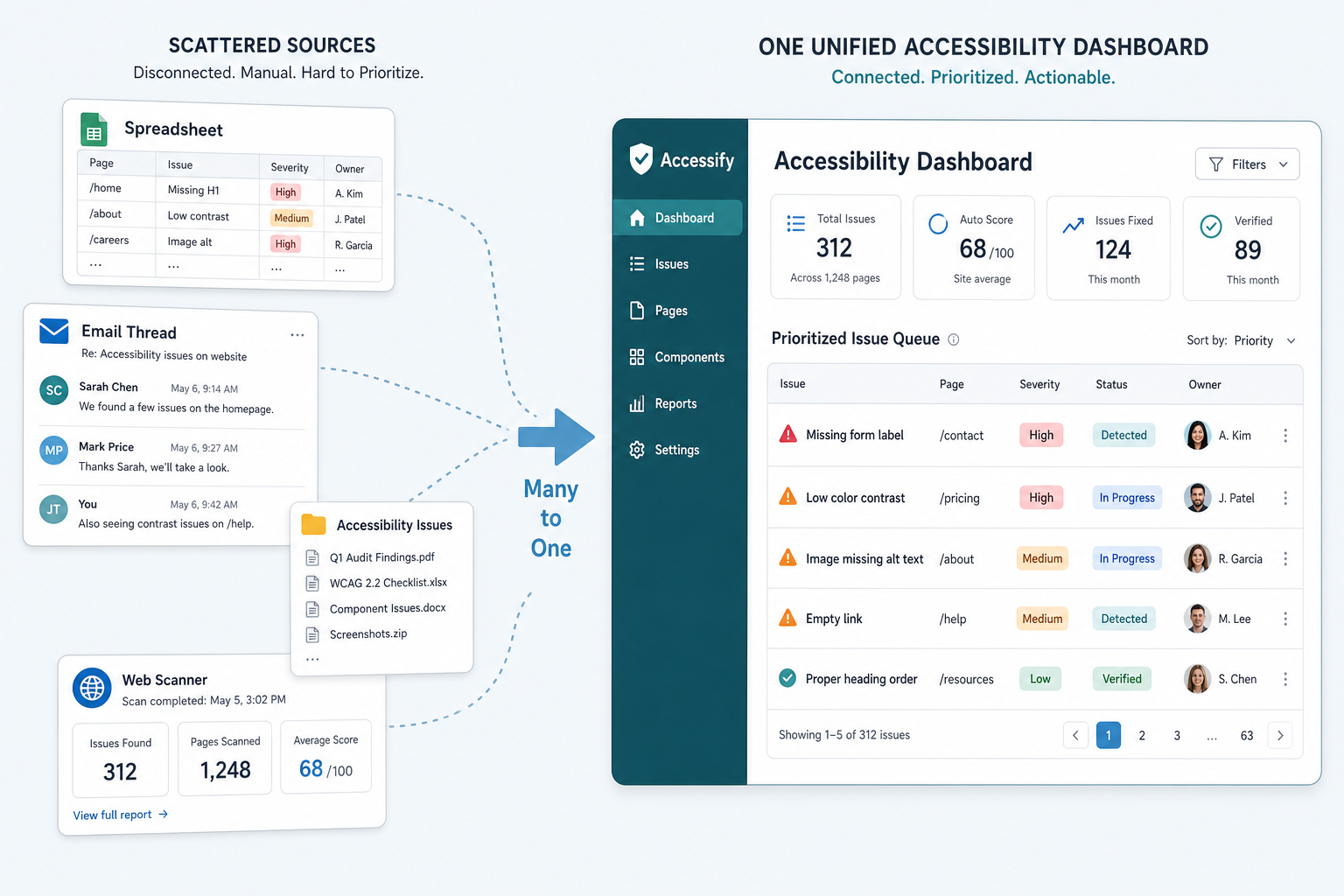
Programs collapse on visibility gaps
Accessibility is not a document you file once. It is an operating state across:
- Public-facing PDFs and forms
- LMS course uploads
- Internal policy libraries
- STEM and alternate-format production queues
When status lives in spreadsheets and ticket comments, program leads discover gaps during reviews — not during operations.
Siloed tools create conflicting truths
| Team | Tool | What they know |
|---|---|---|
| Web team | Site scanner | Homepage WCAG status |
| Disability services | Shared drive + email | Student request queue |
| IT / 508 office | VPAT folder | Vendor attestations |
| Faculty | LMS uploads | Nothing about conformance |
Three dashboards. Zero shared queue.
What program visibility actually requires
A governable program tracks four dimensions on every content asset:
- Detection — gap identified (WCAG, PDF/UA, STEM-specific)
- Ownership — department or role accountable
- Transformation status — queued, in progress, expert QA, delivered
- Conformance proof — exportable documentation for reviewers
MorfAlign centralizes these across the content lifecycle — with certified expert review embedded in transformation workflows, not bolted on afterward.
Dashboards are not vanity metrics
A useful accessibility dashboard answers operational questions:
- How many assets are in transformation this week?
- Which departments have the largest backlog?
- What percentage is verified against ADA Title II or Section 508 targets?
If your reporting cannot answer these in under five minutes, you are governing blindly.
From reactive reviews to continuous governance
Proactive governance means gap detection feeds a prioritized queue before external reviewers or student complaints surface the same items. That shift — from firefighting to steady accessibility operations — is what makes a program defensible.
What changes in your program tomorrow
Tomorrow: Export your current remediation tracker (spreadsheet, Jira, or helpdesk) and add one column — "Last verified conformance date." Any row blank for more than 90 days is invisible risk. That list becomes your first centralized queue, even before new tooling.
Next step: Book a conversation to map your program visibility gaps against MorfAlign's governance layer.